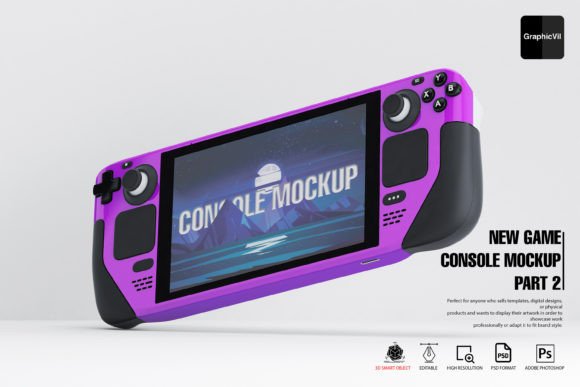
New Game Console Mockup Part 2: Real-World Uses for Designers, Marketers, and Creators
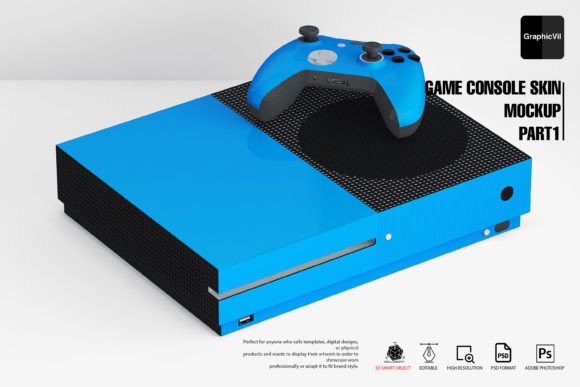
If you’re working on a project that involves showcasing a next-gen gaming console, the New Game Console Mockup Part 2 could be exactly what you need. This layered Photoshop mockup offers high-resolution visuals, multiple angles, and full customization through smart objects. Whether you're a UI/UX designer, marketer, or indie developer, this tool helps bring your concepts to life with professional polish.
What Makes This Mockup Stand Out?
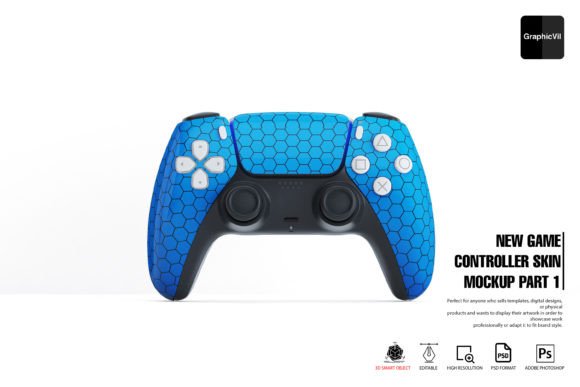
At its core, the New Game Console Mockup Part 2 is built for flexibility. It comes with over 100 Photoshop files, each offering a different angle or layout. The layered PSD files allow you to swap textures, adjust lighting, and tweak reflections with ease. The 3D smart object integration means you can insert your own console design and see it rendered realistically in various environments.
It’s not just about looks, either. The package includes a help folder and 24/7 support, so even if you run into issues with file compatibility or rendering, you won’t be left hanging. And with Adobe Photoshop CC2016 or newer (or the recommended 22.2 version), you can take full advantage of the 3D features without performance hiccups.
How Can You Use It in Real Life?
Let’s say you’re a freelance product designer pitching a new game console concept to a tech startup. Instead of handing over flat renderings, you can use this mockup to show how the console would look in a living room, on a shelf, or connected to a TV. That visual context helps clients imagine the product in real use, making your presentation more persuasive.
Or maybe you’re an indie game developer launching a Kickstarter campaign. You can use the mockup to create visuals of your console in action, giving backers a tangible sense of what they’re supporting. The ability to customize reflections, lighting, and background environments means your images can match the tone of your campaign perfectly.
Who Benefits Most from This Mockup?
There’s a wide range of users who can find value in the New Game Console Mockup Part 2. Here are a few examples:
- UI/UX designers can use it to present control layouts, interface designs, or peripheral mockups in realistic settings.
- Marketing teams can generate lifestyle images for ads, landing pages, or social media without needing a full 3D render pipeline.
- Educators and students in design or game development programs can use it to build professional-looking portfolios with minimal effort.
- Freelancers who work on tight deadlines can save time by using pre-built templates instead of creating visuals from scratch.
Using It Across Different Platforms and Contexts
One of the biggest advantages of this mockup is how it adapts to different use cases. For example, if you’re building a digital portfolio, you can use the high-resolution files to show off your console design from multiple angles. If you’re preparing a client presentation, you can generate visuals that match the client’s brand colors and environment.
Even for digital marketers, the mockup is a valuable asset. You can generate variations of the console in different lighting conditions or room setups to A/B test which visuals perform best in ads. For small business owners launching a new product, the mockup gives you the ability to create high-quality visuals without hiring a 3D artist.
What You Should Know Before You Buy
Before purchasing or downloading the New Game Console Mockup Part 2, there are a few practical considerations. First, make sure your version of Photoshop supports 3D smart objects. While newer versions may seem like the best bet, Adobe actually recommends version 22.2 from February 2021 for the most stable 3D experience.
If you're on a Mac or Windows machine, you'll also want to check your Photoshop settings. Under Preferences > Technology Previews, make sure the “Deactivate Native Canvas” option is checked. This small tweak can prevent common issues like missing layers or inability to edit the 3D smart object.
Also, keep in mind that while the mockup is easy to edit, it does require some basic Photoshop knowledge. If you're completely new to smart objects or layer management, you might want to spend a few minutes going through the included help folder before diving in.
Getting the Most Out of Your Mockup
Once you're set up, there are a few ways to maximize the value of this tool. For instance, you can create multiple variations of your console design by adjusting the smart object and tweaking the lighting. The reflection and specular light settings let you simulate different surfaces—like wood, glass, or concrete—so your visuals stay realistic.
You can also layer in your own background images or textures to match the environment you're trying to simulate. Whether it’s a cozy living room, a sleek tech store display, or a minimalist studio setup, the mockup adapts to your needs.
And if you're working with a team, the layered PSD files make it easy to hand off files or collaborate without losing quality. Designers can focus on the visuals, while copywriters or marketers handle the layout and branding elements—all within the same file.
Final Thoughts: Is It Worth It?
If you're regularly creating visuals for gaming hardware, tech products, or digital interfaces, the New Game Console Mockup Part 2 is a solid investment. It saves time, reduces the need for complex 3D modeling, and delivers high-quality results that work across multiple platforms.
Whether you're a seasoned designer or a small business owner looking to present your product professionally, this mockup offers the flexibility and control you need. And with support for different angles, lighting effects, and customizable environments, it’s a versatile tool that grows with your creative needs.