Designing Impactful Game Controller Skins with Customizable Mockup Solutions
Understanding the Role of Mockups in Game Controller Skin Design
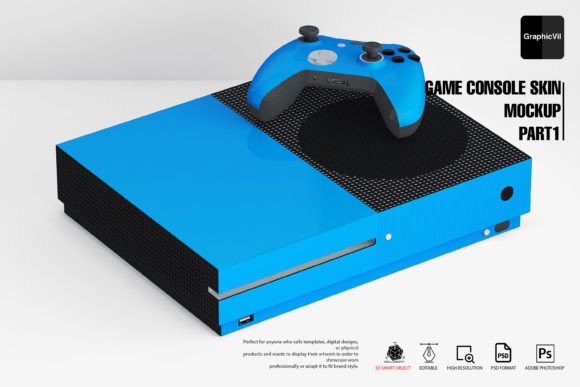
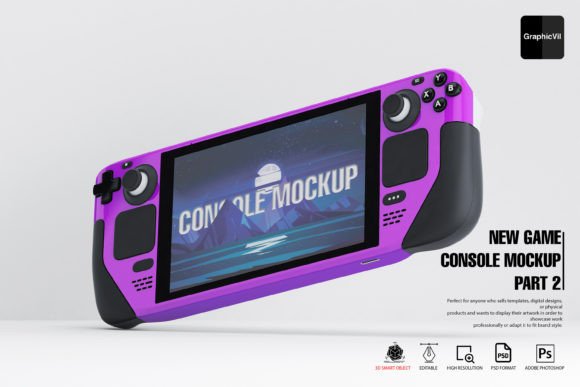
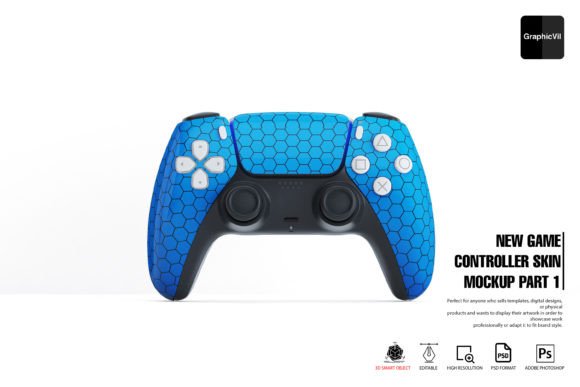
Creating a compelling visual identity for a game controller skin involves more than just designing the artwork—it requires presenting it in a realistic, professional context. This is where mockups come into play. Specifically, the New Game Controller Skin Mockup Part 1 offers designers a powerful tool to visualize and showcase their work effectively. These mockups are not just static images; they are layered, high-resolution PSD files that allow for full customization, enabling creators to align their presentations with specific project needs and branding guidelines.
Why Customizable Mockups Matter
Customizability is key in design presentations, especially when targeting clients or building a portfolio. With the New Game Controller Skin Mockup Part 1, users gain access to a comprehensive set of features, including smart objects, adjustable lighting, and multiple reflection options. These elements allow for precise control over how the skin appears under different conditions, ensuring the final output looks both authentic and appealing.
Each mockup is built using 3D smart objects, which means that changes made to the design layer are automatically reflected in the 3D model. This streamlines the workflow and minimizes the need for repetitive manual adjustments, making the process more efficient for designers of all experience levels.
Technical Requirements and Setup for Optimal Performance
While the mockup is user-friendly, it does come with some technical prerequisites. Users must be working with Adobe Photoshop CC 2016 or later, as earlier versions may not support the 3D features required to render the mockup correctly. Interestingly, some recent versions of Adobe Photoshop have encountered issues with 3D functionality, prompting Adobe to recommend using version 22.2 from February 2021 for the most stable performance.
Setting Up Photoshop for the Mockup
Mac and Windows users alike should ensure their Photoshop settings are configured properly before opening the PSD files. A crucial step involves navigating to Preferences → Technology Previews and checking the box for “Deactivate Native Canvas.” After restarting Photoshop, this adjustment helps resolve common display issues such as not seeing the full PSD, being unable to edit the 3D smart object, or only viewing layers in the panel without seeing the actual preview.
By following these setup instructions, users can avoid frustration and focus on the creative process rather than troubleshooting technical roadblocks.
Exploring the Features of the Mockup Package
The New Game Controller Skin Mockup Part 1 package is packed with features that enhance both the design and presentation process. Here’s a breakdown of what users can expect:
- Layered PSD Files: Each mockup is organized into clearly labeled layers, making it easy to navigate and edit specific components without affecting the rest of the design.
- Smart Object Support: Designers can insert their artwork into smart objects, which maintain quality regardless of scaling or transformations.
- Multiple Reflection Options: Up to three different reflections can be applied, allowing for greater realism and depth in the final render.
- Specular and Main Light Effects: Control over lighting enhances the visual impact of the controller skin, simulating how it would look under various lighting conditions.
- High-Resolution Output: With 100 Photoshop files covering different angles, users can generate high-quality visuals suitable for both print and digital use.
These features collectively provide a robust framework for presenting controller skins in a professional setting, whether for client proposals, portfolio showcases, or marketing materials.
Practical Use Cases for the Mockup
One of the standout qualities of the New Game Controller Skin Mockup Part 1 is its versatility across different applications. Here are some real-world scenarios where this mockup proves invaluable:
- Client Presentations: Designers can showcase their work in a realistic 3D format, helping clients visualize the final product before production.
- Portfolio Development: Whether applying for jobs or pitching to new clients, having high-quality, professional mockups can significantly elevate a designer’s portfolio.
- UI/UX Case Studies: For UX designers, especially those working on gaming interfaces, mockups help illustrate how a controller skin integrates with the overall user experience.
- Marketing Materials: Brands can use these mockups to create promotional content that highlights the uniqueness of their controller skins.
- Educational Demonstrations: Instructors and students in design programs can use the mockups to teach or learn about 3D rendering and presentation techniques.
Each of these applications benefits from the mockup’s ability to transform flat artwork into a dynamic, three-dimensional presentation, adding credibility and visual appeal to any project.
Optimizing Workflow with the Help Folder and Support
Even the most advanced tools can be intimidating without proper guidance. That’s why the New Game Controller Skin Mockup Part 1 includes a dedicated help folder that walks users through the customization process. This folder contains step-by-step instructions, tips for troubleshooting common issues, and best practices for achieving the best results.
In addition to the help documentation, users also have access to 24/7 support. Whether it’s a question about file compatibility, layer organization, or rendering techniques, having responsive support ensures that users can resolve issues quickly and continue working without unnecessary delays.
How to Maximize the Help Resources
To get the most out of the help folder, users should:
- Read through the instructions before opening the PSD files.
- Familiarize themselves with the structure of the layers panel.
- Experiment with different lighting and reflection settings to understand their impact.
- Reach out to support if they encounter any unexpected behavior in Photoshop.
This proactive approach not only improves efficiency but also builds a deeper understanding of how the mockup functions, allowing for more creative freedom in the long run.
Considerations for Long-Term Use and Compatibility
As with any digital design tool, it’s important to consider long-term usability. While the New Game Controller Skin Mockup Part 1 is currently optimized for specific Photoshop versions, future updates to Adobe’s software may affect compatibility. To mitigate this, users should:
- Keep a backup of the original PSD files in case updates introduce rendering issues.
- Stay informed about Adobe’s updates and recommendations regarding 3D features.
- Consider using version 22.2 of Photoshop for the most stable experience when working with 3D mockups.
By taking these steps, designers can ensure that their investment in the mockup remains valuable over time, even as software evolves.
Final Thoughts on Mockup Integration in Design Practice
The New Game Controller Skin Mockup Part 1 is more than just a presentation tool—it’s a bridge between concept and reality. Whether you’re a professional designer, a hobbyist, or an educator, this mockup provides the tools needed to bring your ideas to life with clarity and precision. Its combination of high-resolution detail, customizable features, and user-friendly design makes it a standout choice for anyone looking to elevate their visual storytelling capabilities.